This feature is common to all sharemundo links® solutions.
Note Approval of timesheets is only possible for :
- company administrator;
- the project manager, if you have a sharemundo links® solution that includes project management. In this case, project managers can only will only be able to approve or reject timesheets relating to their projects.
Etape 1 : Allez à la section ‘Suivi des heures’ depuis le menu de navigation coté gestion d’entreprise (section ‘Portail RH’).
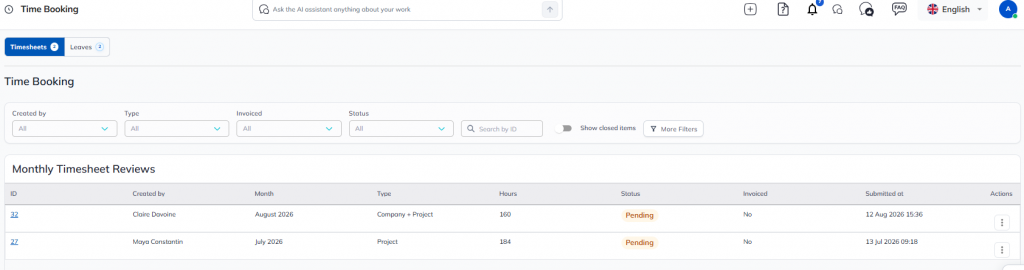
Note You can also access the time statement to be approved directly from the email notification.
Etape 2 : Dans le tableau d’aperçu des relevés en attente de validation, allez dans le menu action puis cliquez sur ‘Approuver’ ou ‘Rejeter’ sur la ligne correspondant au relevé que vous souhaitez approuver ou rejeter.
Note when you reject a timesheet, the user who submitted it will be able to modify or delete it and recreate one before resubmitting it for approval.