This feature is common to all sharemundo links® solutions.
Etape 1 : Allez à la section ‘Financier’ , sous section ‘Gestion de la facturation’ depuis le menu de navigation.
Etape 2 : Plusieurs onglets sont disponibles :
- Le tableau de l’onglet ‘Tous’ vous présente les factures et les avoirs de votre entreprise.
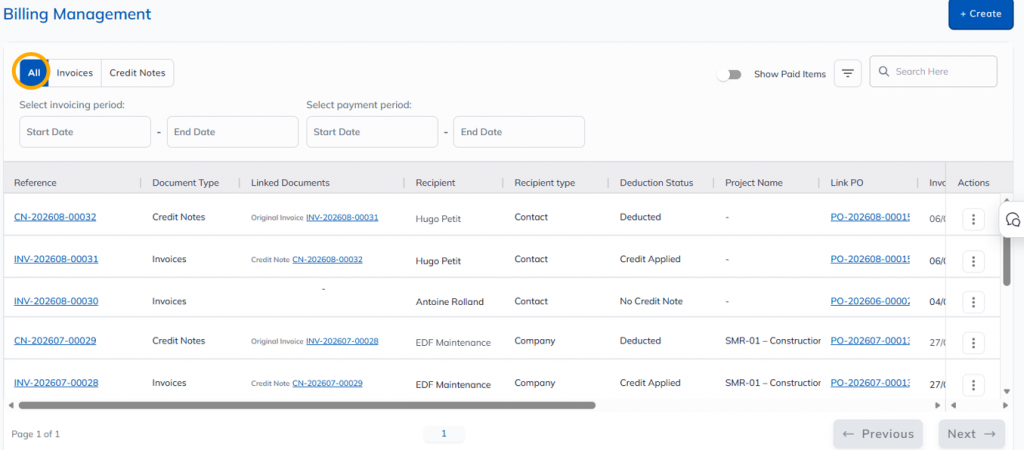
- Le tableau de l’onglet ‘Factures’ vous présente les factures de votre entreprise.
- Le tableau de l’onglet ‘Avoirs’ vous présente les avoirs de votre entreprise.
Etape 3 : Pour tous les onglets, vous pouvez :
- filtrer la liste de factures/avoirs, soit en fonction de leur statut, soit pour une période de facturation ou de paiement donnée ;
- sort each column by clicking on it. A second click sorts the information in reverse order;
- afficher uniquement les éléments payés ou effectuer une recherche grâce au champ dédié.