This feature is common to all sharemundo links® solutions.
Step 1: Go to the 'Actions' section in the left-hand menu ('Company management' section for company actions, or 'Project management' section for project-related actions).
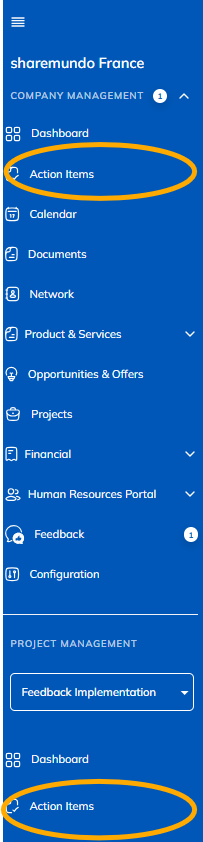
Notes:
- The screenshots below concern the management of corporate actions, butthe principles are the same for project actions (if you have a sharemundo links® solution that includes project management).
- If your sharemundo links® solution includes project management, and if you wish to view the details of an action for a specific project, you must first select the project from the left-hand navigation menu.
- The procedure is the same whether you're using the list, table, timeline, or calendarview for actions.
Step 2: Click on the action whose details you want to view.
Details of the action will be displayed in a form.
Note The same form is used to view and modify action details. Since saving is automatic, any changes you make, evenect, even if involuntary, will be saved. You can, of course, modify the action at a later date to undo your changes.