This feature is common to all sharemundo links® solutions.
Step 1: Go to the “Actions” section in the left-hand menu (the “Business Management” section for business-related actions or the “Project Management” section for actions related to your projects).
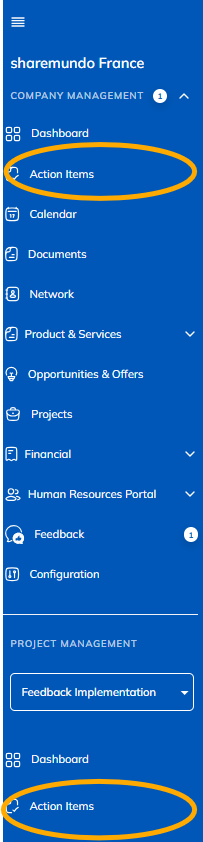
Notes:
- The screenshots below show corporate tasks, but the principles are the same for project tasks (if you have aSharemundo Links®solution that includes project management).
- If yoursharemundo links®solution includes project management,andif you want to view the details of a task for a specific project, you must first select the project from the navigation menu on the left.
- The procedure is the same, whether you use the listor grid or timeline view.
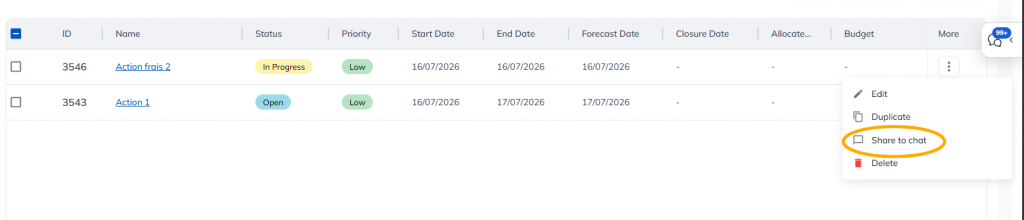
Step 2: Click the action button for the action you want to share, then click “Share in Chat.”
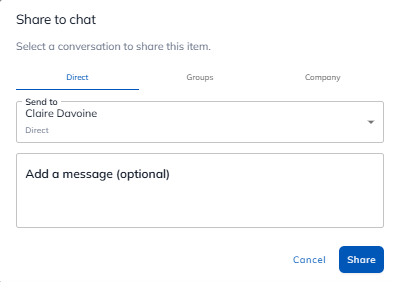
Step 3: Choose to share with one person, a group, or all of your coworkers. You can add a message.
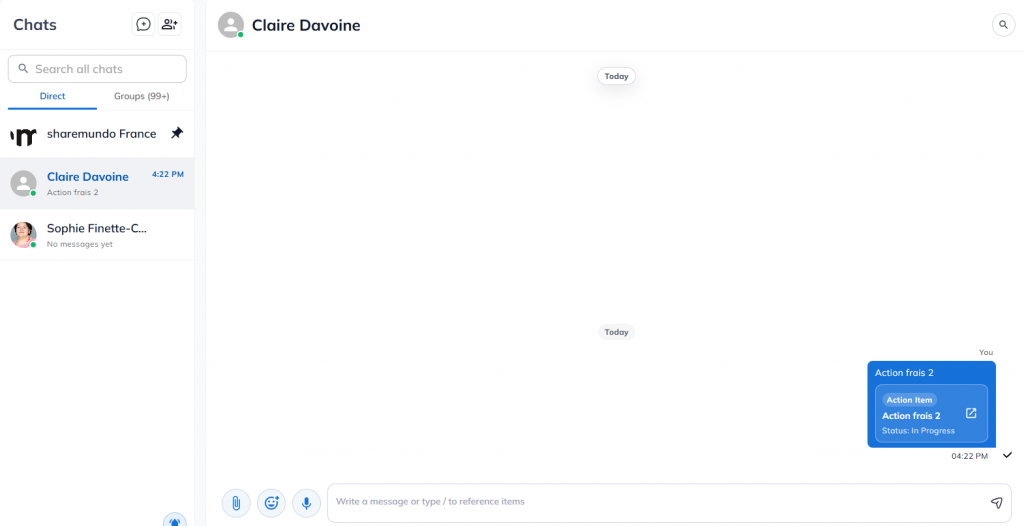
The action appears in your chat.